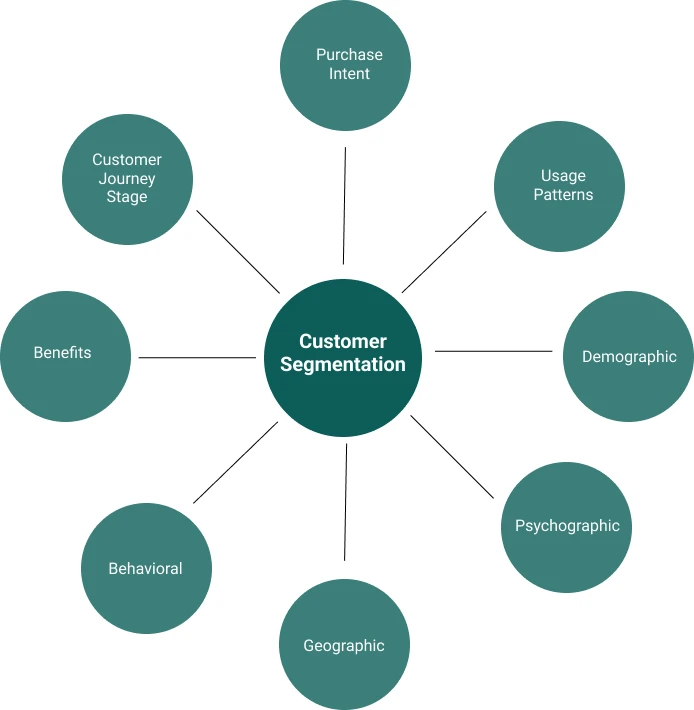
CRM customer segmentation divides contacts into distinct clusters based on shared account data, while targeting uses those cluster definitions to deliver tailored messages and automated timing to each group. While segmentation determines who receives an interaction, targeting governs what is sent and when, transforming cross-functional data across sales, marketing, and support into automated triggers rather than broadcast sends.
Connecting CRM Segmentation to Campaign Targeting
Segmentation groups CRM records to determine who receives an interaction, while targeting determines what message, offer, and delivery schedule reach that audience. ConvergeHub notes that segmentation identifies the recipient, and personalization dictates the content, requiring audience boundaries to exist before individualized messaging can function. Unlike standalone email list filters that rely only on inbox metrics, CRM customer segmentation pulls from all touchpoints across sales pipeline stages, support history, and marketing forms to build unified audience definitions.
Once audience boundaries are set, automated workflows and dynamic content populate fields across communications automatically. Marketers can adapt headlines, discounts, and product recommendations to fit specific account tiers without building separate broadcast campaigns for each cluster. For teams establishing their first workflows, monday.com advises starting with 1 to 2 core criteria to build 3 to 5 initial segments. This focused approach maintains clean list management while keeping campaign rules directly tied to business revenue goals.
Core CRM Data Points for Building Audience Segments
Behavioral data attributes predict conversions and customer churn more accurately than static demographic markers like age or geography. Records that track purchase timing, session depth, and software feature adoption reveal immediate intent. By contrast, demographic profiles merely categorize identity. Incorporating transaction recency separates accounts by buying frequency; for instance, filtering contacts with zero purchase activity across a 90-day window isolates lapsed buyers for dedicated reactivation rather than active promotional queues.
Engagement frequency gives a second layer of intent. In a campaign interaction cited by NiCE, filtering a broader cohort of 300 email openers isolated 155 contacts who opened messages more than once, creating a distinct high-intent segment for direct follow-up. In subscription and software environments, usage duration highlights account expansion points. Litmus points out that a user who stays on a basic tier for 6 months while regularly hitting resource ceilings forms a clear upgrade segment ready for sales outreach.
Layering multiple data categories generates refined targeting rules without ballooning segment volume. A practical CRM query merges demographic firmographics with live behavior, such as targeting enterprise tier accounts that log in daily. Similarly, combining regional markers with order values isolates high-value accounts in specific territories. These multi-condition filters prevent mismatched messaging by ensuring that accounts meet behavioral qualification thresholds before entering targeted flows.
Dynamic Versus Static CRM Segmentation
Dynamic segmentation evaluates incoming contact data continuously, adding or removing users in real time as their actions change. As documented by Jetpack CRM and SS&C Technologies, dynamic lists run on automated rules so an account transitioning from a first-time purchaser to a repeat buyer moves automatically between segments without manual list sorting. By contrast, static segmentation creates a fixed snapshot of records at an exact date. Static lists require manual imports, hand-selected contact updates, or fixed sub-list divisions such as the default 50/50 split ratio used when testing static prospect lists in Marketing Cloud Account Engagement.
List architecture also dictates where data appears across organizational teams. In Salesforce and Marketing Cloud Account Engagement, dynamic lists run strictly on background logic; users cannot manually add or drop prospects, and the resulting lists cannot be checked as CRM-visible on sales lead or contact record layouts. Static lists, however, allow manual edits and direct exposure on CRM contact screens so sales representatives can review exact marketing list memberships during calls.
Relying exclusively on static lists causes campaign fatigue and missed revenue windows because audience data quickly decays. Customers who change job titles, cancel subscriptions, or abandon carts continue receiving outdated sequences unless lists are manually pruned. Dynamic lists solve this latency by reflecting live engagement metrics immediately. When open or conversion rates drop within an active segment, marketers can spot the dip right away and refine copy or delivery rules while recipient interest remains high.
Activating CRM Segments Across Marketing Channels
Executing targeted campaigns requires tying lifecycle stages to behavioral triggers rather than blasting scheduled calendar newsletters. As Insider outlines, assigning contacts to stages based on observed interactions allows marketing automation engines to fire communications when intent peaks. Workflows route segment criteria simultaneously across email, SMS, WhatsApp messaging, and on-site banners, matching channel delivery to customer readiness.
A concrete activation model illustrates how event rules govern multi-channel journeys while protecting user experience:
- Cart abandonment sequence: A dynamic rule tracks checkout drop-offs. When an account abandons a shopping cart 3 times within a 2-week period, the CRM applies a high-intent recovery tag. This event trigger initiates an automated multi-step reminder sequence across email and SMS. In retail implementations tracked by Jetpack CRM, automated behavioral sequences of this structure recover 25% of abandoned carts.
- Support ticket suppression: Negative segmentation rules safeguard customer relationships by excluding sensitive accounts from promotional queues. When a customer logs a support ticket within a 48-hour window, an automated rule removes them from promotional email and WhatsApp broadcasts. Outbound communications stay suppressed until support teams close the issue, preventing frustrating sales pitches during active service inquiries.
- Recent buyer cross-sell: For accounts with a completed purchase within a 30-day recency window, the CRM halts generic acquisition offers and triggers on-site recommendations for complementary accessories.
Mapping automated enrollment triggers alongside negative suppression rules ensures CRM data guides every touchpoint. Campaign targeting shifts from manual broadcast blasts to an active rules engine, directing each customer through individualized sequences based on live account interactions.