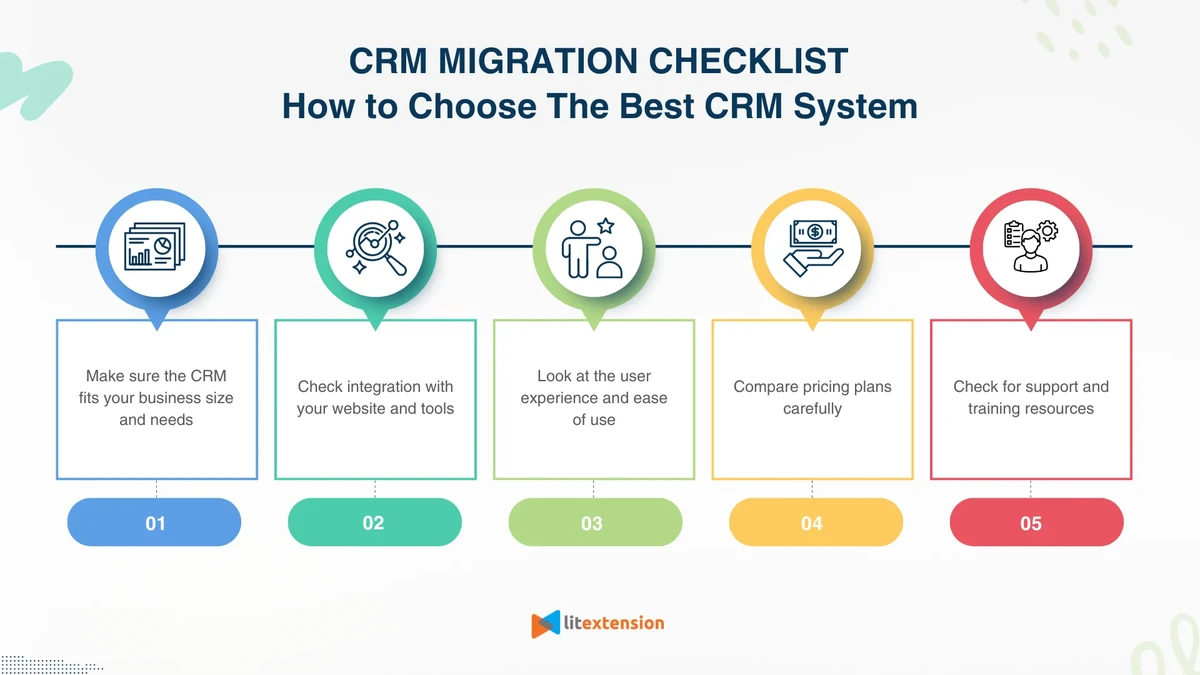
A complete CRM migration checklist organizes the transition across eight sequential phases—Assess, Cleanse, Map, Test, Migrate, Validate, Cutover, and Hypercare—to transition customer records and revenue workflows without data loss. The process begins with a full backup of source data and a soft schema freeze, followed by deduplication and the archiving of stale records inactive for 12 to 18 months. Execution involves importing records through a strict six-pass dependency order using utilities like Salesforce Data Loader or Import2 with automated workflows suppressed, executing a cutover delta sync during a 1-to-3-day freeze, and running parallel operations alongside a 2-to-4-week hypercare window.
Phases of a Complete CRM Migration Lifecycle
A structured CRM migration lifecycle follows eight sequential phases: Assess, Cleanse, Map, Test, Migrate, Validate, Cutover, and Hypercare. Migrations succeed when treated as systems implementations rather than isolated data transfers. As Tyler Washington noted, “CRM data migration fails most often not because of technical limitations, but because teams treat it as a data transfer instead of a systems project.”
- Assess: Audit data assets, integrations, and license allocations. Prioritize active accounts, engaged contacts, and two years of deal history over migrating entire legacy databases.
- Cleanse: Calculate duplicate rates, merge duplicate accounts, normalize fields, and establish golden records.
- Map: Document source-to-target field dictionaries, picklist values, and stage transformations.
- Test: Build a staging sandbox to execute mock migrations, evaluate error logs, and conduct user testing.
- Migrate: Run production batch imports in dependency tiers with automated workflows suppressed.
- Validate: Reconcile record counts, verify field values, check relational integrity, and confirm financial reports.
- Cutover: Enforce a system freeze, sync final delta records, distribute credentials, and switch live integrations.
- Hypercare: Provide post-launch support to resolve edge cases, monitor sync errors, and drive user adoption.
Pre-Migration Auditing and Data Cleanup Tasks
Pre-migration preparation requires auditing source data quality, locking down schema alterations, and extracting uncorrupted database backups. Data audits are essential because 76% of CRM users report that less than half of their company’s CRM data is complete and accurate, according to Validity’s 2025 State of CRM Data Management report. Migrating uncleaned records wastes storage, degrades system performance, and harms reporting accuracy.
- Extract full source backups: Generate a complete, restorable backup of all standard and custom objects using the Salesforce Data Export Service or Salesforce Data Loader before transforming data. Store these files securely as a rollback safety net.
- Audit integration endpoints and API caps: Catalog third-party systems communicating through REST, SOAP, or ODBC/JDBC connections, including Devart ODBC Connectors. Review API call limits and throttling caps to avoid halts during migration.
- Purge stale and duplicate data: Establish baseline duplicate rates and completion percentages. Purge or archive records showing no customer engagement across a 12-to-18-month inactivity window.
- Enforce a soft schema freeze: Lock custom field creation, pipeline stage definitions, deduplication rules, and automations across both systems. A soft freeze prevents model drift so sales reps can continue daily operational selling.
- Verify schema rules: Confirm field data types, picklists, and validation rules match between platforms. Editing validation rules or pipeline stages during migration causes batch loads to fail from schema rejection.
Executing the Data Migration and System Cutover
Executing data loading requires disabling outbound automations, maintaining cross-system identifiers, and importing objects in a strict relational sequence. Active automations, task rules, and email alerts in the target platform must be disabled before loading to prevent imported records from accidentally triggering outbound communications to contacts.
To prevent orphaned child records and broken relational attachments, follow this six-pass relational dependency loading checklist:
- Pass 1: Foundational schema and users: Configure custom objects, custom fields, pipeline definitions, and active user profiles so incoming records link to valid owners.
- Pass 2: Parent accounts: Import company records first, populating a dedicated custom target field with the legacy record ID to preserve data lineage and troubleshooting traceability.
- Pass 3: Contacts: Load contact records, mapping each contact to its parent account using the legacy account ID.
- Pass 4: Deals and pipelines: Import deals linked to parent accounts and contacts, matching currency codes explicitly at the record level to prevent currency miscalculations.
- Pass 5: Activities and notes: Load tasks, call logs, logged emails, meetings, and historical notes, attaching each event to existing parent accounts, contacts, and deals.
- Pass 6: Junctions and attachments: Import file attachments, custom junction objects, and multi-entity relationship links to finalize structural connections.
Before running production imports, validate data mappings in a staging sandbox. Load sample batches of 50 to 100 records per object—such as in Import2 via Customize mappings > Start import—and spot-check 20 records by hand against the old system to isolate mapping errors. For production cutover, place the legacy CRM into read-only mode during a 1-to-3-day freeze window, run an incremental delta sync for newly modified records, and maintain an operating rollback plan that accounts for records created in the target CRM after cutover.
Post-Migration Verification, Dual Sign-Off, and Hypercare
Post-migration verification pairs technical data reconciliation with operational business readiness testing. Technical verification requires comparing 50+ records across custom fields, spot-checking 100+ records for relationship integrity, opening 20+ random attachments to verify rendering, and confirming parity across 5 key revenue reports.
- Conduct customer journey continuity testing: Require account managers to review active renewal and service scenarios using only the new CRM. Verify they can identify contracting entities, open commitments, interaction history, and upcoming action deadlines without contacting customers for background.
- Obtain formal dual sign-off: Cutover approval mandates formal sign-off from two leadership tracks. Technical owners must attest to data reconciliation and system behavior, while sales and service leaders confirm operational continuity.
- Maintain dual-system parallel operations: Run both CRMs concurrently for two weeks with the legacy system set to read-only mode to reconcile live variances and maintain an accessible archive.
- Execute a 2-to-4-week hypercare window: Provide dedicated administrative support to monitor user permissions, resolve field-level edge cases, and drive user adoption across departments.